Failed to fetch http://archive.ubuntu.com/ubuntu/dists/focal/InRelease Could not connect to archive.ubuntu.com:80 에러 해결 방법
Dockerfile로 docker 이미지를 build 하는 과정에서 아래와 같은 에러가 발생하였다. Dockerfile의 기본이미지 OS로 우분투를 명시하였는데, archive.ubuntu.com:80 에 연결을 할 수 없다는 내용..
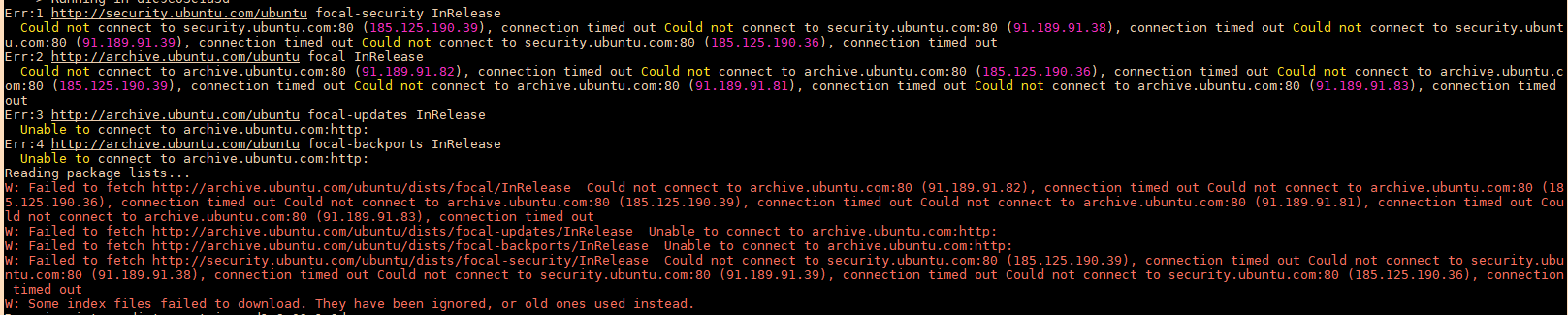
[ 에러 내용 ]
W: Failed to fetch http://archive.ubuntu.com/ubuntu/dists/focal/InRelease Could not connect to archive.ubuntu.com:80 (91.189.91.82), connection timed out Could not connect to archive.ubuntu.com:80 (185.125.190.36), connection timed out Could not connect to archive.ubuntu.com:80 (185.125.190.39), connection timed out Could not connect to archive.ubuntu.com:80 (91.189.91.81), connection timed out Could not connect to archive.ubuntu.com:80 (91.189.91.83), connection timed out
W: Failed to fetch http://archive.ubuntu.com/ubuntu/dists/focal-updates/InRelease Unable to connect to archive.ubuntu.com:http:
W: Failed to fetch http://archive.ubuntu.com/ubuntu/dists/focal-backports/InRelease Unable to connect to archive.ubuntu.com:http:
W: Failed to fetch http://security.ubuntu.com/ubuntu/dists/focal-security/InRelease Could not connect to security.ubuntu.com:80 (185.125.190.39), connection timed out Could not connect to security.ubuntu.com:80 (91.189.91.38), connection timed out Could not connect to security.ubuntu.com:80 (91.189.91.39), connection timed out Could not connect to security.ubuntu.com:80 (185.125.190.36), connection timed out
W: Some index files failed to download. They have been ignored, or old ones used instead.
[ 에러 해결 방법 ]
에러 원인은 해당 명령을 실행하는 도커 환경이 원인인거 같아 Dockerfile로 이미지를 build할 때, 로컬 네트워크와 동일한 네트워크를 사용하도록 docker build 명령에 --network=host 명령을 추가해주어 해결되었다.
docker build --network=host -t [이미지명] .'컨테이너 > Docker' 카테고리의 다른 글
| Error response from daemon / http: server gave HTTP response to HTTPS client 에러 해결 (0) | 2023.08.03 |
|---|---|
| Dockerfile을 통한 apache http server Docker image build 간단하게 (0) | 2022.12.07 |

